Features
Signal Delivery & Automation
Automatic copying or one tap approval, your choice for each trader.
Trade signals are delivered as they happen. Choose automatic routing, or manual approval where you accept or decline each trade before anything is sent to your broker.
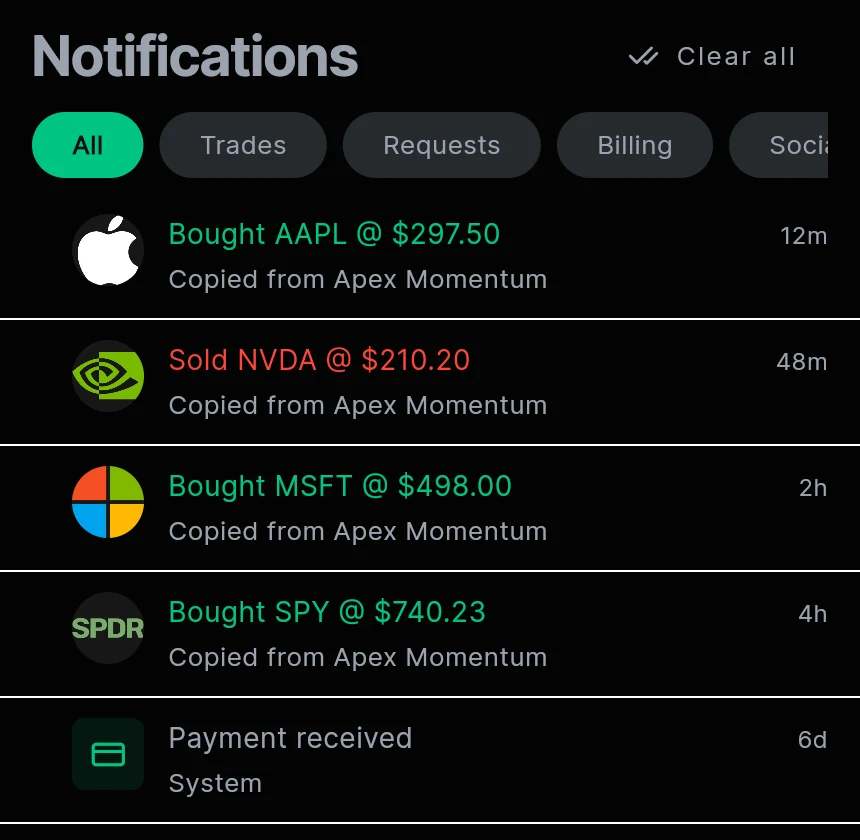
Where signals come from
Signals come from fills in the trader’s connected brokerage account. They are not typed in or posted by hand, so a trader cannot send a signal for a trade they did not make.
Automatic mode
When the trader fills an order, the matching order is sized with your limits and sent to your connected broker without you doing anything. Buys and sells are both copied, so when the trader closes, your copy closes too.
Manual mode
You get a notification with Accept and Decline buttons and a 30 second countdown. Accept sends the order right away. If you decline or the 30 seconds pass, nothing is placed.
The 30 second window keeps the price close to the price the trader got. A late approval on an old price is not allowed.
Order type
Choose how copied orders are priced for each trader: Market, Bid, Mid or Ask. Market fills fastest. Bid, Mid and Ask place a limit order at that price, which may not fill if the price moves.
You always see the result
- Each copied order shows whether it filled, was skipped, or was rejected, and why.
- If a copy is skipped because of your limits, for example the size is too small for one contract, you are told.
- Filled copies appear in your notifications and in your portfolio.
Questions
More features
RelayTrades is automation software, not a broker-dealer or registered investment adviser. Every account is connected by its owner and stays at its own broker; we never hold money. Nothing here is a recommendation to buy or sell any security. Trading options carries substantial risk and past results do not predict future results.